We have issued an update to the system that modified the following:
- New System Warnings for Missing Information: We have added new notifications to Lightning Docs which can be found at the bottom of the interview above the “Contact Support” button. These system warnings specifically inform the user that required information is missing from the interview. “Required” in this case means that this information is necessary to produce a usable set of loan documents.
Helpful Tip: The title of the interview page containing the error is listed in the final parentheses of each warning.
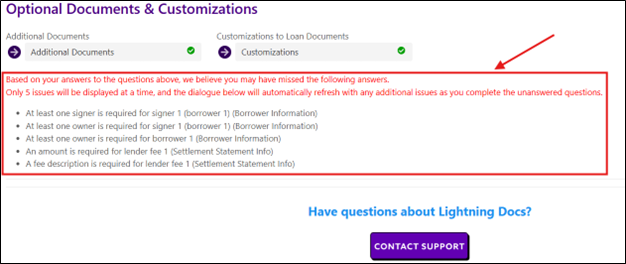
Example A: User did not input an individual signer for the borrowing entity. The warning below will populate:

Example B: User did not select a lien position for the collateral property. The warning below will populate: